See what your chargers are doing and why.
Plugchoice gives charging professionals real operational visibility. Errors, power flows, session behavior, and diagnostics that make sense at a glance.
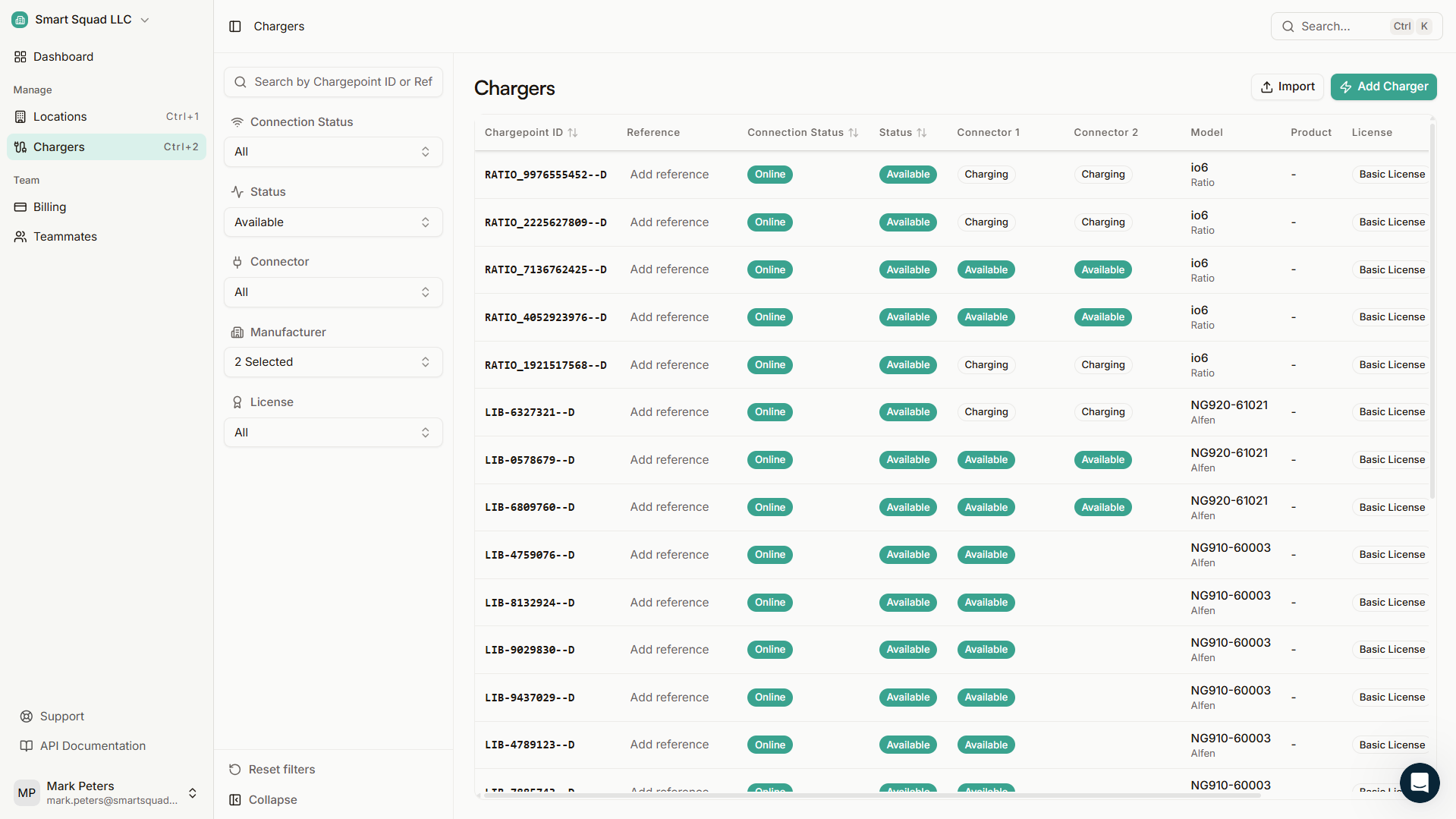
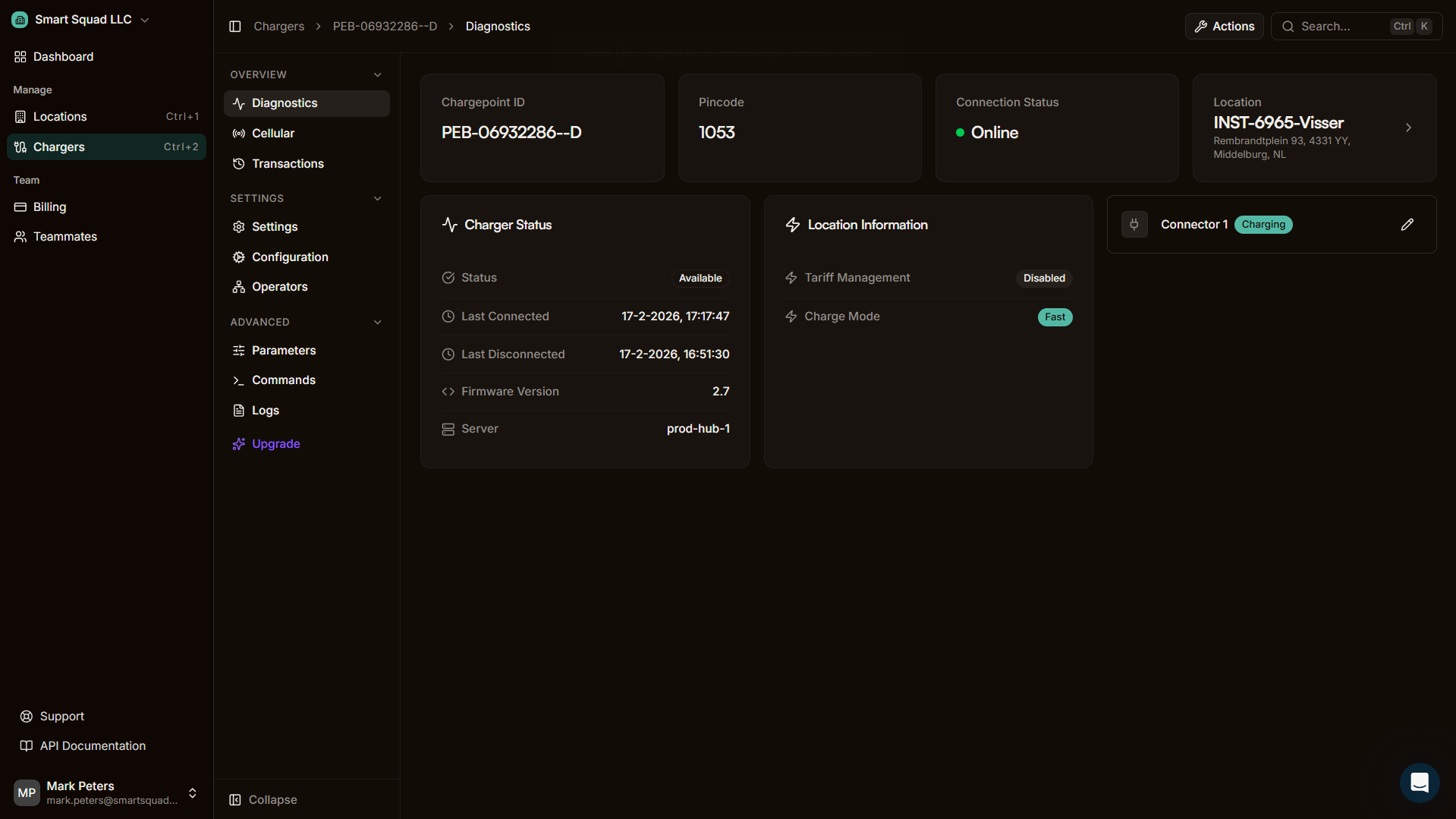
Three layers of visibility.
Every charger interaction is captured. From at-a-glance status to full OCPP history, Plugchoice gives you the right level of detail for every situation.
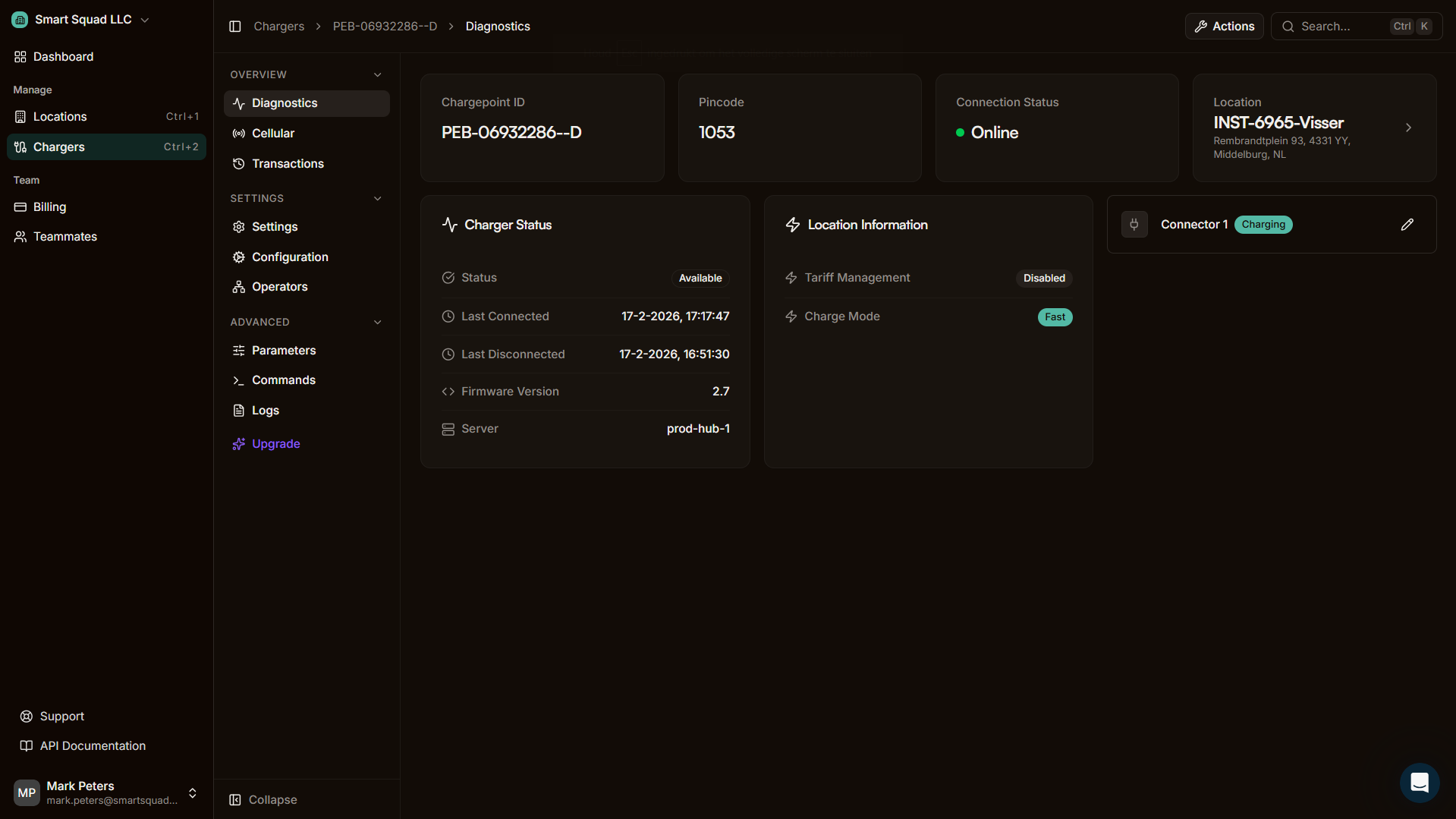
Charger overview
Simple language, real-time status. See what every charger is doing at a glance, without needing technical knowledge.
Find the root cause in minutes, not hours
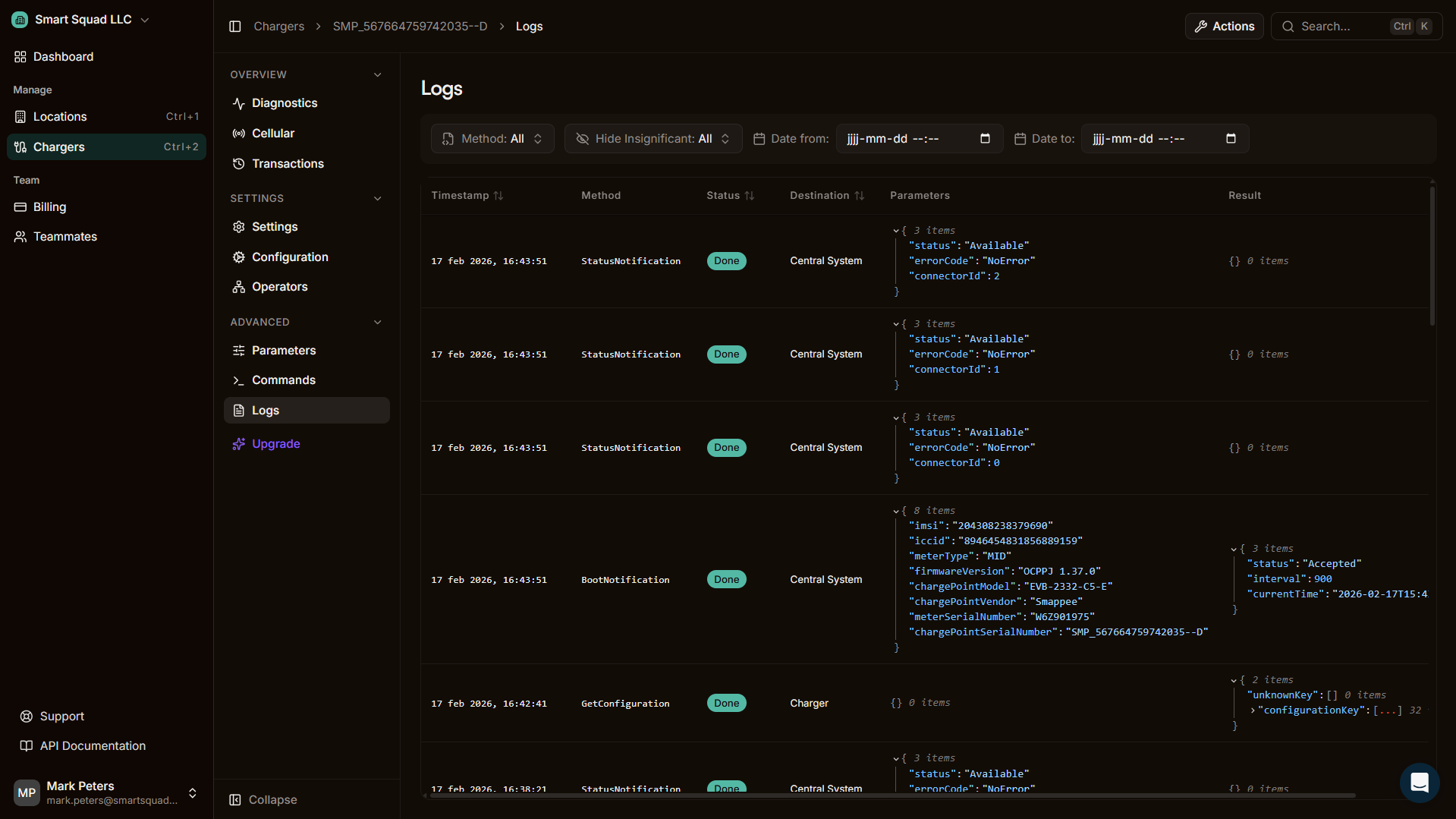
Charger and system logs
Full OCPP message logging with structured filtering, error categorization across brands, and export for compliance or external analysis.
Know about problems before your customers call
Power management logging
Visual, real-time power graphs. Allocation vs. reality, phase-level detail, solar contribution, and transaction timelines down to the second.
Visual and structured means faster resolution
Proactive notifications and health reports
Error alerts and health summaries pushed to the web portal and as push notifications to your phone. Know about issues the moment they happen, not when your customer calls.
User action logging
Full audit trail of who did what, when. Configuration changes, user actions, and system events tracked across your organization.
Built for the person standing at the charger.
Every charger has a frontpage. Clean status, translated error codes, and clear next steps. In the app and in the portal. When someone can understand and fix the issue themselves, they don't need to call you.
Deep when you need to go deep.
Charger and system logs give you full OCPP visibility. Every message, every status change, every error. Structured, searchable, and exportable.
- Complete OCPP message history per charger
- Structured error categorization across all brands
- Filter by type, severity, date range, and charger
- Export logs for compliance or external analysis
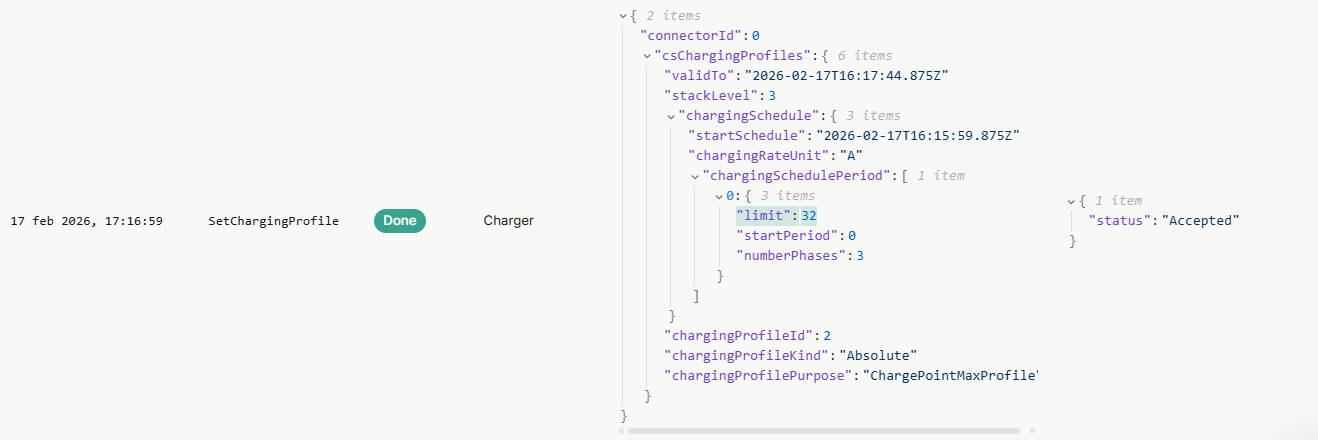
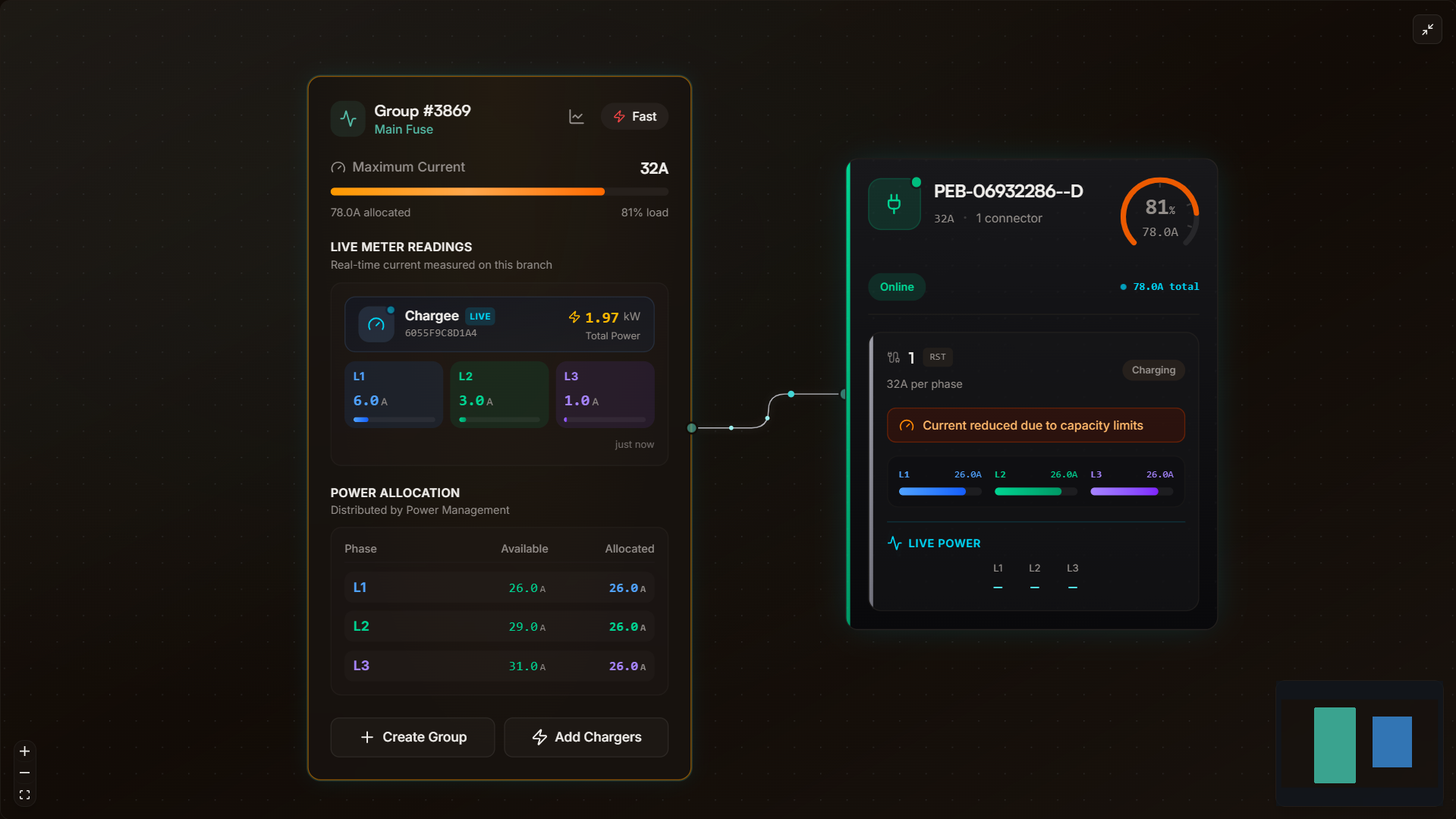
Power management analytics down to the second.
Building usage
See total power consumption at the meter level, including what flows back to the grid and what comes from solar.
Allocation vs. reality
Compare what the system allocates to a charger, what the charger offers, and what the car actually draws. Per charger. Per connector.
Phase-level detail
Full 1-phase and 3-phase logging per charger. See current and power values for L1, L2, and L3 individually.
Transaction graphs
Every charging session comes with a visual timeline. See power curves, state changes, and events mapped to the session duration.
Location and subgroup views
Analyze power not only per charger, but per location and per subgroup within a location. Understand how your fuse groups behave.
Solar and export
Track solar production, self-consumption, and grid export in context. See how solar contribution changes throughout the day.
Proactive error notifications
Errors and warnings surfaced before your customers notice. Alerts pushed to the web portal dashboard and as push notifications to your phone. Health summaries per location, per charger. You catch problems the moment they happen, not when someone calls.
- Errors and warnings detected automatically across all chargers
- Push notifications to your phone for critical issues
- Health dashboards and periodic reports per location
- Escalate from alert to deep investigation in one click
User action logging
Full audit trail of who did what, when. Every configuration change, every command sent, every team member action. Tracked, searchable, and exportable across your entire organization.
- Every configuration change logged with user and timestamp
- Command history per charger and per team member
- Searchable and filterable across your organization
- Export audit logs for compliance or internal review
Start seeing what your chargers see
Connect any OCPP charger to Plugchoice. Free to use, ready in minutes.