Chargers
Back offices
Your platforms
Two ProVolt Time
Eve Single ProAlfen
Pulsar MaxWallbox
345 more brands
Plugchoice
E-Flux
GreenFlux
Monta
315 more
Web portal
App
Your productREST API
OCPP 1.6J
OCPP 1.6J
JSON
Whatever the charger brand, whichever back office it already reports to, your product gets one normalised API. That back office can stay connected, so nothing you run today has to change.



 Plugchoice
One API
Your product








The full reference is on developer.plugchoice.com.
Everything the Plugchoice app does, the API does too. Build the parts you need into your own app, and your customer gives it access with OAuth 2.0. Every framed element is one call.
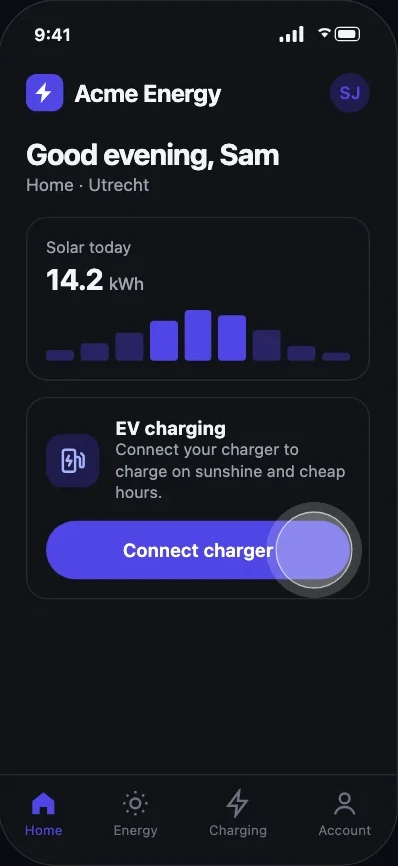
Our SDK opens Link, the hosted onboarding, inside your app. Your user follows a few steps on their phone and Auto Connect does the technical work, so nobody types a websocket URL or chargepoint ID.
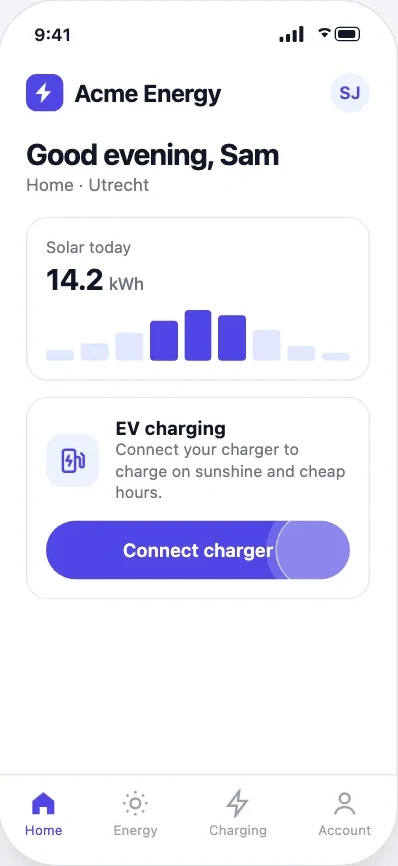
In your app or on your website. You already know who they are and where the charger is, so Link starts from there.
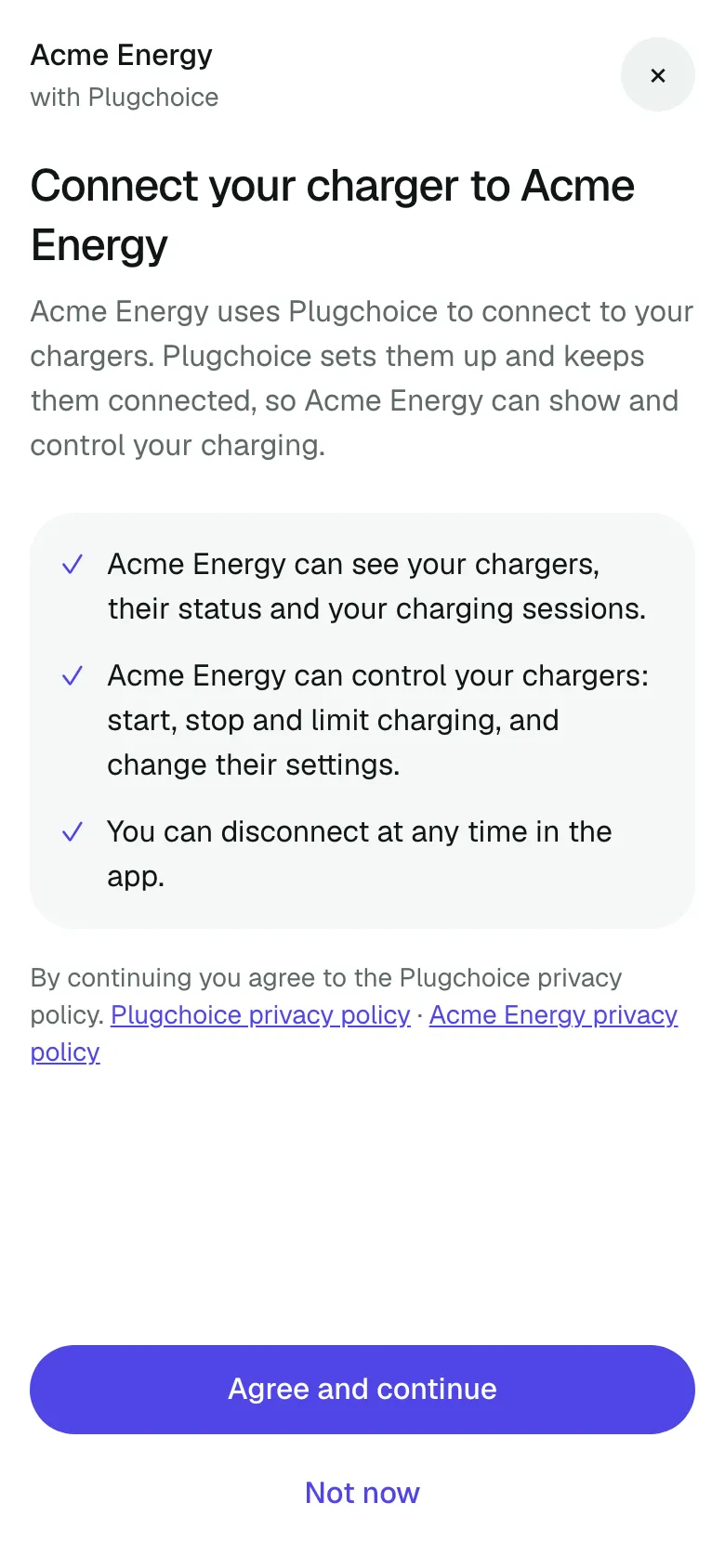
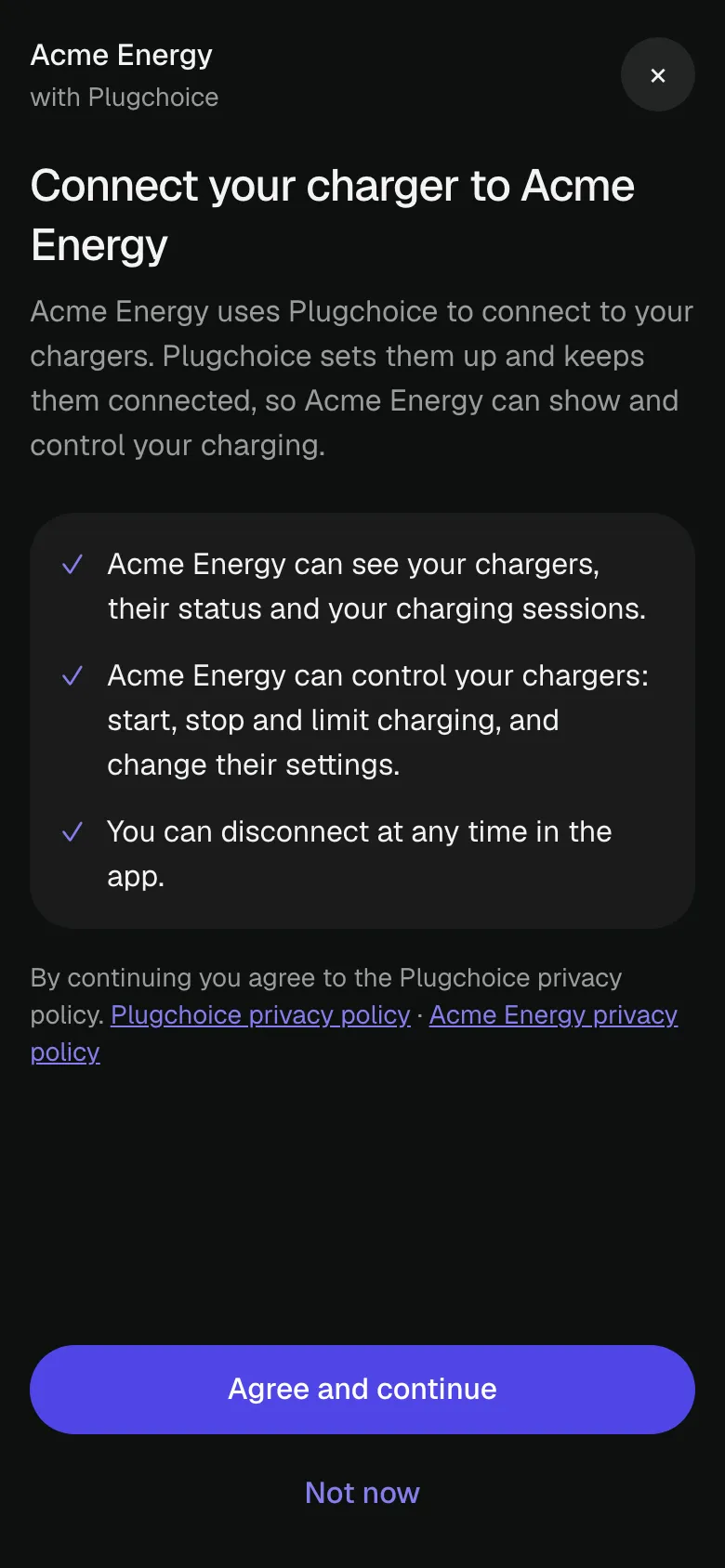
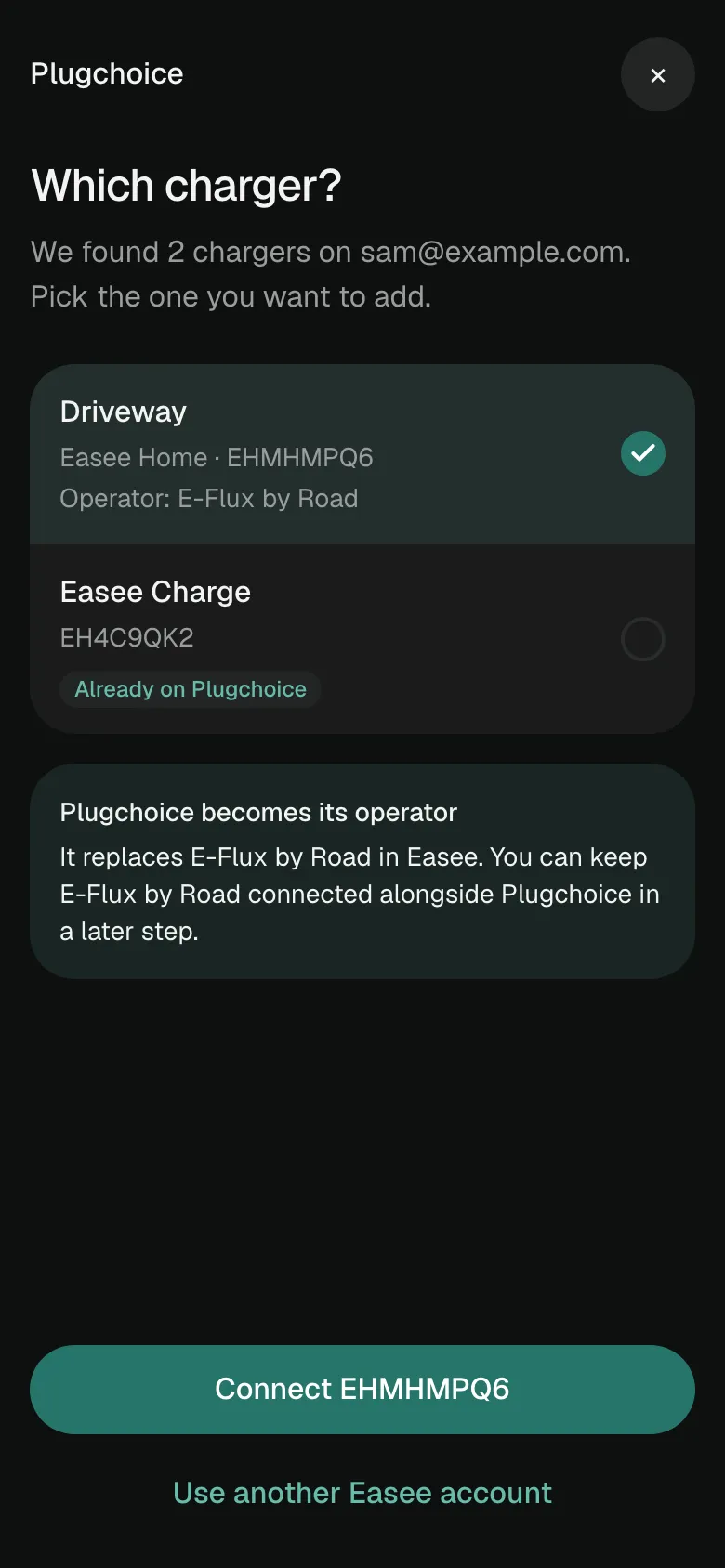
The consent screen carries your name, logo and colour, and lists what you may see and control.
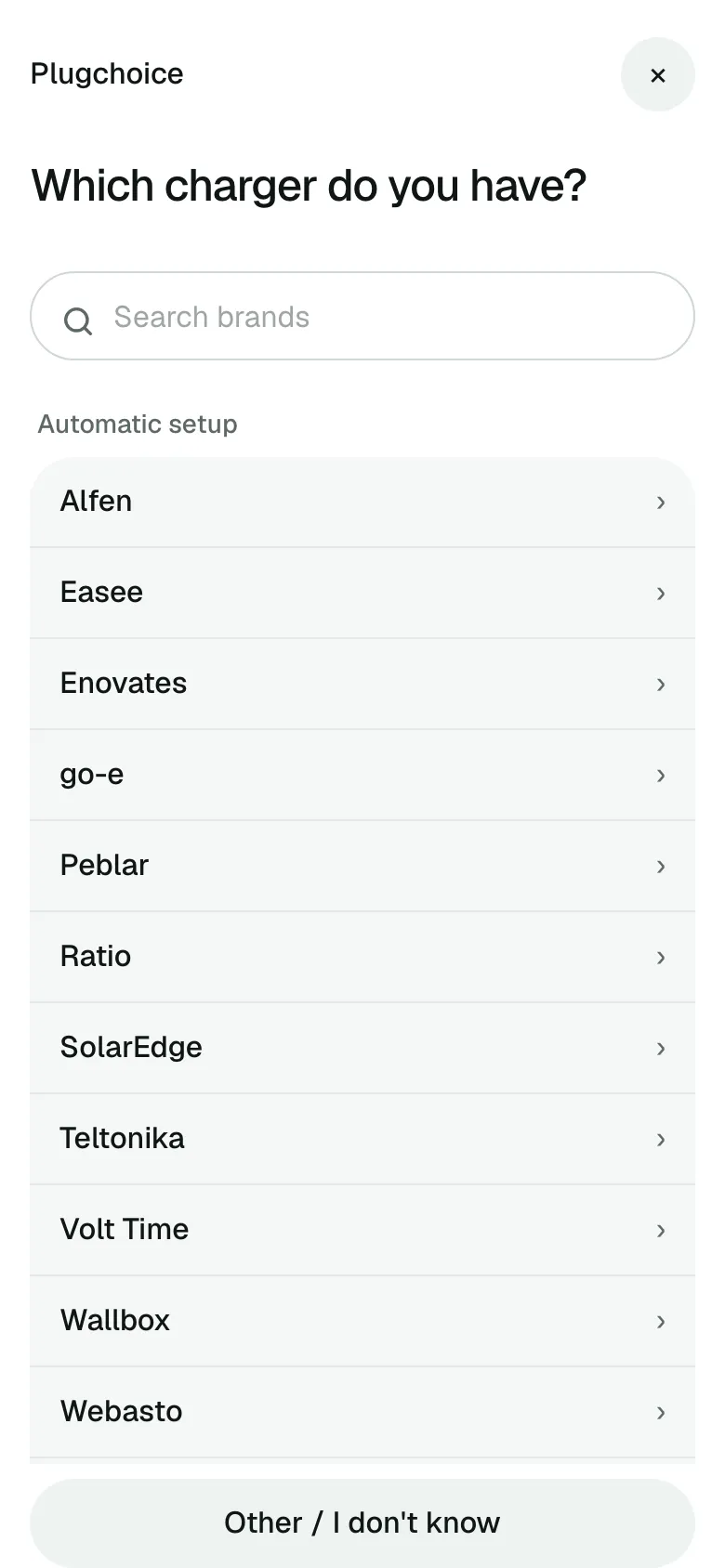
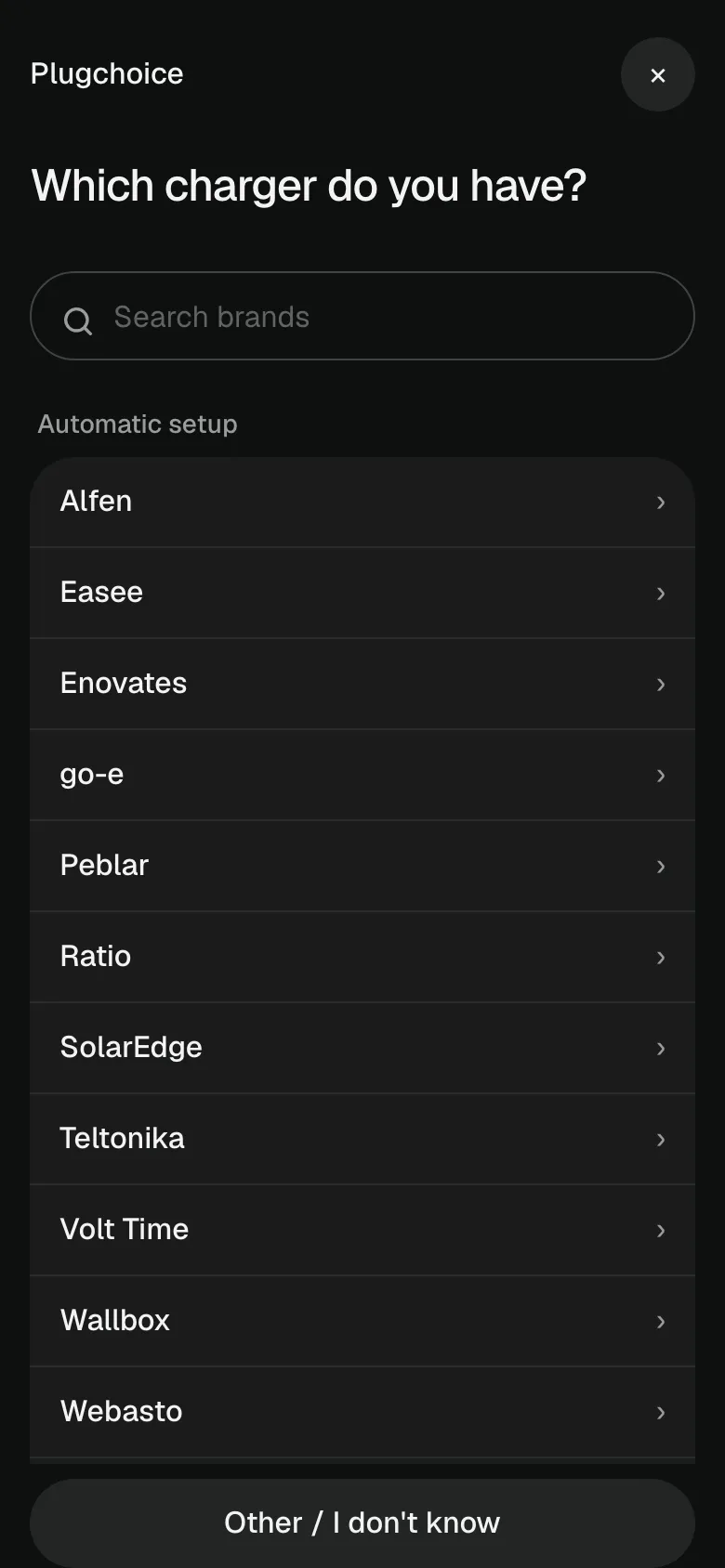
12 brands have a setup made for them. Any other OCPP charger is added by hand, in the same flow.
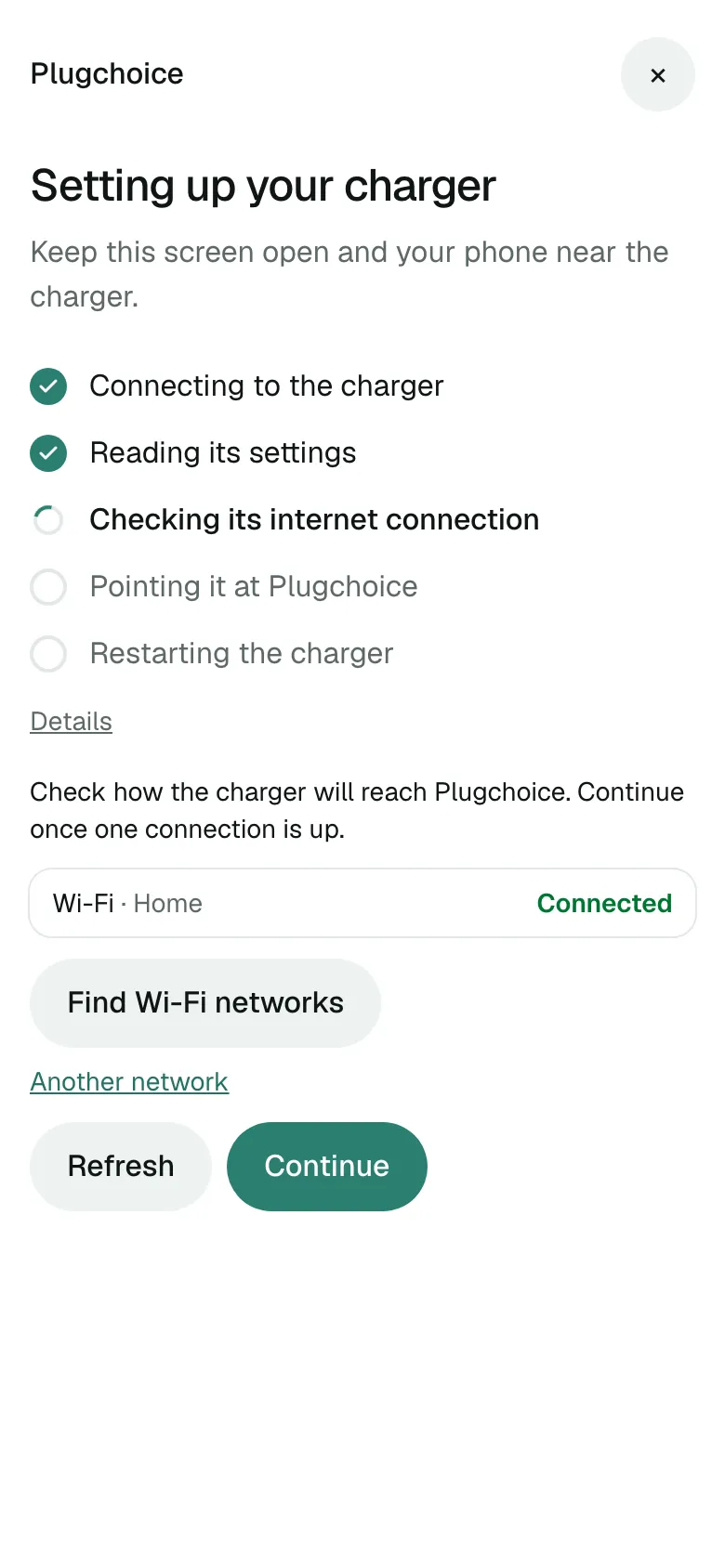
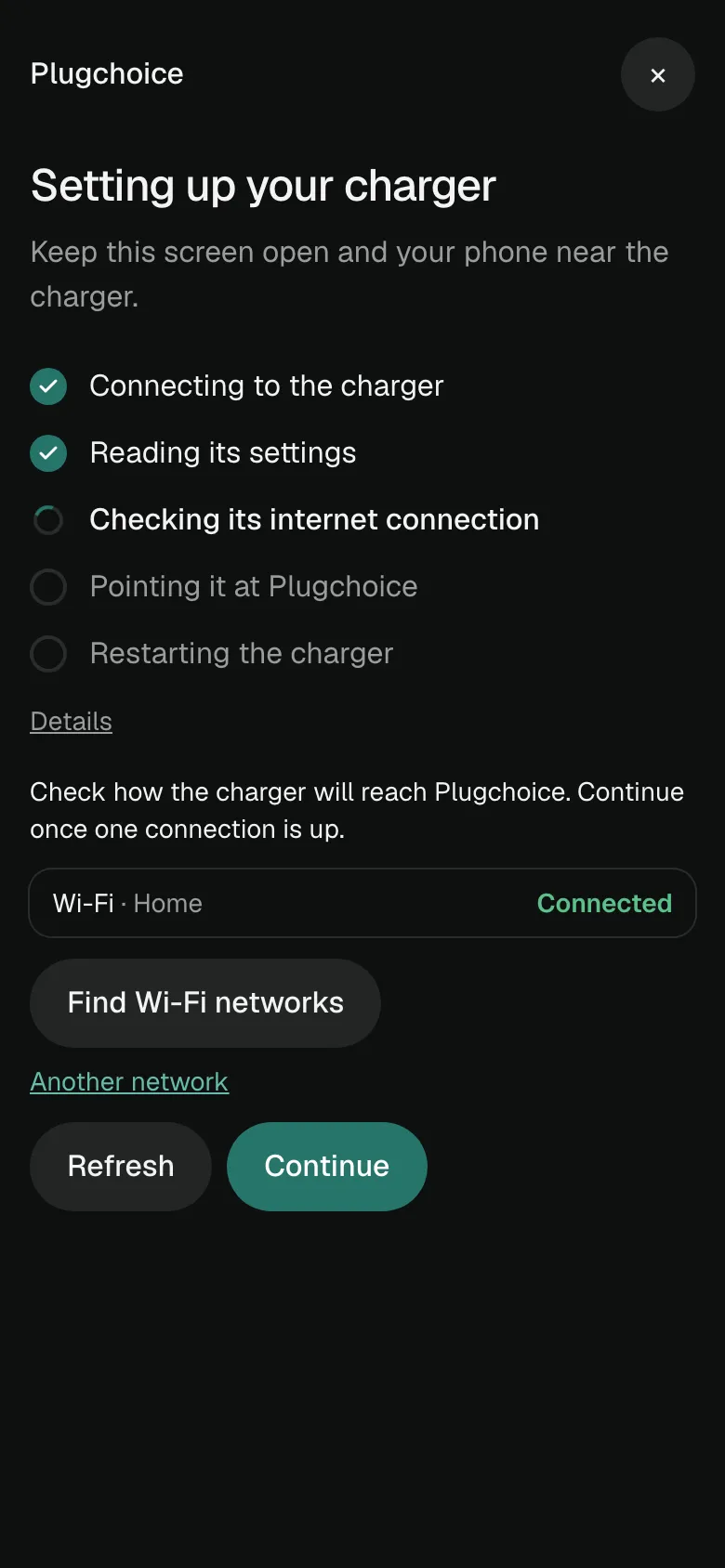
Link reaches the charger over Wi-Fi, Bluetooth or the brand's cloud, points it at Plugchoice and shows each step as it goes.
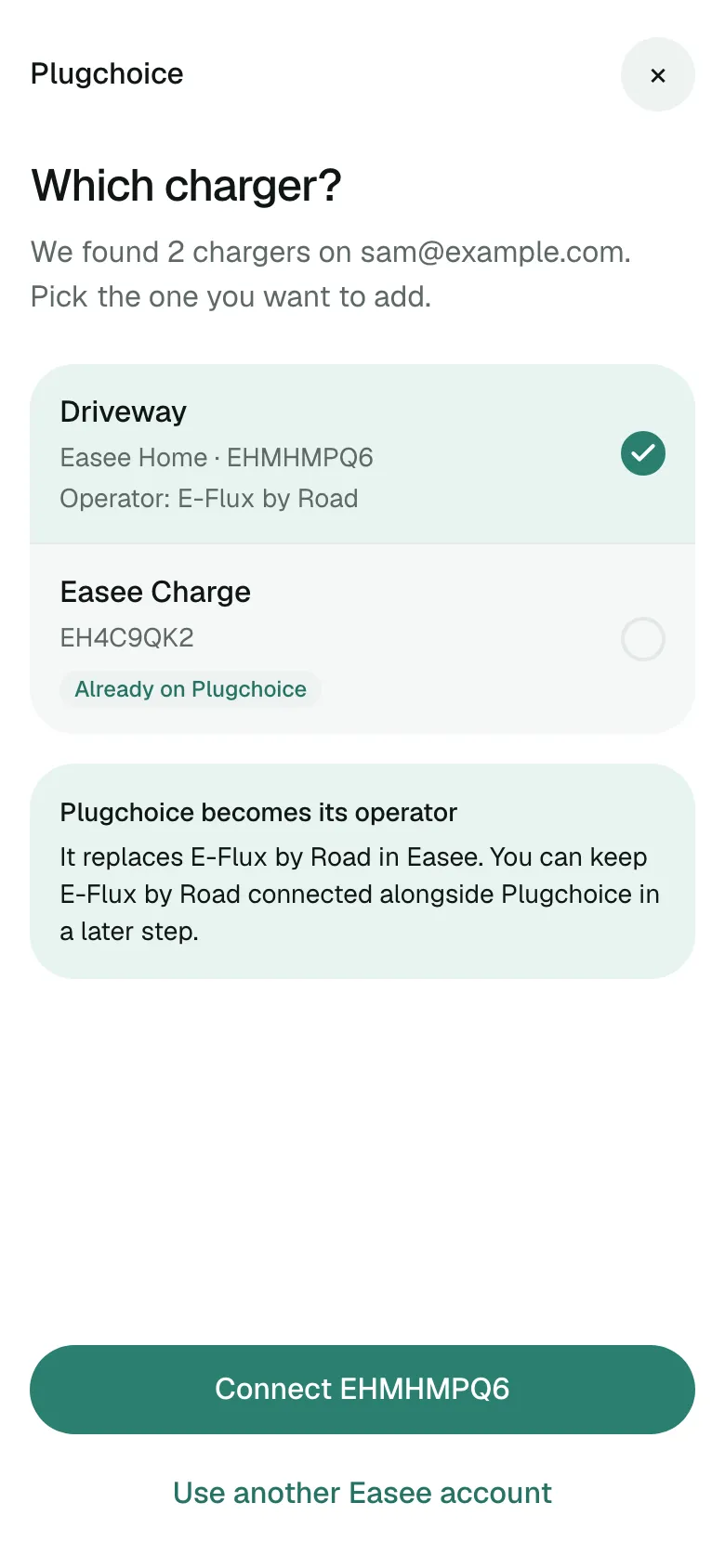
When the charger already reports to a back office, it stays connected next to Plugchoice.
Each brand has a setup of its own. A charger that is not on the list goes through the same flow and is set up by hand.
Link imports the charging history
Users who already have the Plugchoice app connect your product there with OAuth 2.0. The SDK is in beta until version 1.0.
Your user stays in the same flow. They type the charger's chargepoint ID. Link shows what to set in the charger's own settings or app, and waits until the charger connects.
Yes, for the brands marked with a dot above. Link imports it once, when the charger is added. Reconnecting a charger later imports nothing again.
No. With the SDK your customer stays in your app. Link carries your name, logo and colour, with Plugchoice named next to it.
It stays connected. The charger connects to Plugchoice, and our OCPP proxy passes its traffic on to the back office it already had.
An endpoint on your server that asks Plugchoice for a client secret, a button that opens Link, and a check when Link closes. Without any code, a start link or a QR code works too.
Yes. You get test credentials first, and test mode works with real chargers, so you can try everything with your own.
iOS 16 and later, Android 10 and later, React Native with Expo, and the web. The code is open source on GitHub.
Your user. They agree to what you may see and control, and can disconnect your product at any time in Plugchoice. Hosting and subprocessors are on our security page.
Owners and installers choose from 300+ back offices when they connect a charger. Once your integration is live, your platform is in that list too.
A charger connects once. Plugchoice passes its OCPP traffic on to the back offices and serves the same data to the app, the web portal and your product.
Create a free account, point a charger at wss://ocpp.plugchoice.com and it appears in the portal.
Charging at home? Get the app.
We use cookies for our support chat, to measure how the site is used and for marketing. Essential cookies are always on, and you can change your choice at any time under Cookie settings at the bottom of every page.
Choose which cookies you allow. Essential cookies are always on.